UI-UX

2 posts
challenge-icon

In the Age of AI: How I’m Building My "New-normal" Skill Set

user-avatar
Tính Nguyễn Trung
28/04/2026

Designing with AI: My "New Normal" as a Product Designer

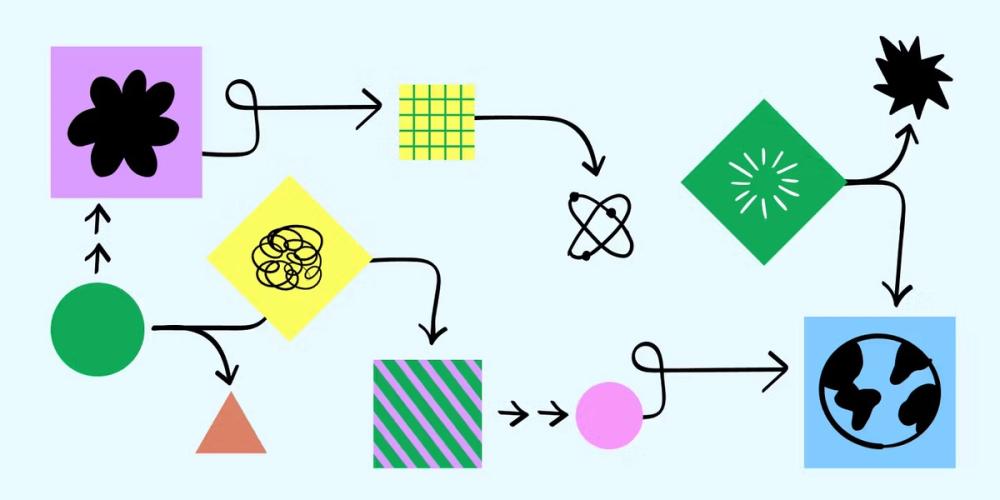
When AI started to become a big thing, I admit, I was a bit nervous. As a Product Designer, my job is all about understanding people, their needs, and creating experiences that feel natural and intuitive. Could a machine really understand human emotions or the subtle nuances of user behavior? It felt like my creative, human-centered world was about to be taken over by algorithms.But instead of taking over, AI has become an incredible partner. It hasn't replaced my creativity; it's amplified it. My "new normal" skill set isn't about becoming an AI expert, but about becoming an expert at designing with AI. Here's how my role has changed:1. From Guesswork to Guided Insights:Before, understanding users often meant a lot of surveys, interviews, and sometimes, educated guesses. Now, AI helps me analyze vast amounts of user data, spotting patterns and pain points much faster than I ever could. It's like having a super-powered research assistant. My skill now is to ask the right questions to the AI, interpret its insights, and then translate that into meaningful design solutions. It helps me move from "I think users want this" to "Data suggests users need this, and here's why."2. Rapid Prototyping and Iteration:Creating mockups and prototypes used to be a time-consuming process. AI-powered tools can now generate initial design concepts, variations, and even basic wireframes based on my input. This means I can explore many more ideas in less time. My focus has shifted from drawing every single element to guiding the AI, refining its outputs, and quickly testing different approaches. It frees me up to think more strategically about the overall user journey and less about the pixel-perfect details in the early stages.3. Designing for Intelligent Experiences:Now, I'm not just designing interfaces; I'm designing interactions with intelligence. This means thinking about how AI features (like recommendations, personalized content, or smart assistants) integrate seamlessly into the user flow. It's a new challenge: how do we make AI feel helpful, not intrusive? How do we build trust? My skill here is to ensure the AI's capabilities enhance the user's experience, making it feel magical, not mechanical.4. The Human Touch is More Important Than Ever:Paradoxically, with more AI, the human element in design becomes even more critical. AI can optimize, analyze, and generate, but it can't empathize. It can't truly understand the emotional impact of a design choice. My role is to be the advocate for the user, to bring that human perspective, ethical considerations, and creative flair that only a human can provide. I ensure that technology serves humanity, not the other way around.The age of AI isn't about designers becoming obsolete; it's about designers becoming more powerful. It's about using these new tools to create even more impactful, user-centric products. My "new normal" is exciting, challenging, and full of opportunities to blend creativity with cutting-edge technology. And honestly, I wouldn't have it any other way.
challenge-post-cover
#6
1
25
challenge-icon

AI For Good

user-avatar
Nguyễn Thành Trương
20/01/2026

Vibe coding: khi tôi không còn bắt đầu UI từ màn hình trắng

Khoảng vài tháng gần đây, tôi nhận ra mình ít viết UI từ con số 0 hơn trước, nhưng lại build được nhiều giao diện hơn. Không phải vì tôi giỏi frontend lên đột ngột, mà vì tôi bắt đầu dùng AI theo một cách khác: vibe coding.Ban đầu tôi cũng khá dè chừng. UI do AI tạo ra thường có một mùi rất rõ: màu sắc hơi lố, spacing kỳ, nhìn là biết không phải người làm thật. Tôi từng thử vài lần và bỏ cuộc khá nhanh.Sau này dùng nhiều hơn, tôi nhận ra vấn đề không nằm ở AI, mà nằm ở cách mình prompt.Vấn đề của UI nhìn phát biết AINếu bạn từng thử nhờ AI tạo UI, chắc không lạ gì mấy layout rất chuẩn sách: đủ component, đủ màu, đủ hiệu ứng, nhưng không có cá tính. Nhìn thì không xấu, nhưng cũng không muốn dùng lâu.Lý do khá đơn giản: mình đang prompt AI như một cái máy viết code, trong khi UI thực chất là cảm giác.Prompt kiểu: "Tạo cho tôi một dashboard bằng React" thì kết quả gần như chắc chắn là một UI generic, không có gì để nhớ.Tôi bắt đầu prompt theo VibeThứ tôi thay đổi đầu tiên là không nói về component trước. Tôi nói về cảm giác trước.Ví dụ, thay vì nói dashboard, tôi mô tả:tone màu trầm, ít màuspacing rộng, chữ thoángcảm giác giống product SaaS hơn là website marketingưu tiên readability, không cần animationKhi prompt bắt đầu giống cách một dev nói chuyện với designer, kết quả trả về khác hẳn. UI không còn quá AI, mà bắt đầu giống một sản phẩm có người đứng sau.Tôi dùng AI như một người design cùngTôi không copy-paste nguyên UI AI tạo ra rồi dùng luôn. Thường thì flow của tôi là như này:Mô tả vibe + bối cảnh sản phẩmLấy layout tổng thể và vài component gợi ýChỉnh lại spacing, font, màu theo cảm giác của mìnhPrompt tiếp: cái này vẫn hơi chật, bớt màu đi, cho cảm giác nhẹ hơnNghe thì có vẻ mơ hồ, nhưng thực tế nó rất giống cách làm việc với designer. Tôi không cần AI đúng ngay từ đầu. Tôi cần nó cho tôi một bản nháp đủ ổn để chỉnh tiếp.Điểm khác biệt lớn nhất so với trước đây là: tôi không còn ngồi nhìn màn hình trắng nữa.Prompt UI của tôi thường trông như thế nào?Tôi không có một prompt thần thánh, nhưng có một cấu trúc tôi dùng rất thường xuyên. Đại khái sẽ gồm 4 phần, viết rất đời, không cần hoa mỹ:1. Vai tròAct as a frontend developer có gu UI, quen làm product SaaS nội bộ.2. Bối cảnhĐây là màn hình dashboard cho người dùng nội bộ, dùng hằng ngày, không phải landing page.3. Vibe / cảm giáctone màu trầmspacing rộng, chữ thoángít hiệu ứngưu tiên đọc lâu không mỏi mắt4. Ràng buộcdùng Tailwind + component đơn giảnkhông animation phức tạpcode dễ chỉnh lại bằng tayTôi hiếm khi nói kiểu tạo component X, Y, Z. Tôi để AI đề xuất, rồi tôi chọn.Thứ vibe coding giải quyết tốt nhấtTrước đây, khi build UI, tôi hay bị kẹt ở đúng một chỗ: bắt đầu từ đâu.Chọn layout trước hay chọn màu trước?Dùng component nào cho đỡ quê?Làm xong có phải đập đi làm lại không?Vibe coding giải quyết đúng đoạn đó. Nó cho tôi một điểm xuất phát đủ ổn để tiếp tục. Thay vì nghĩ, tôi có cái để sửa. Và sửa thì dễ hơn nghĩ rất nhiều.Điều thú vị là, sau vài vòng chỉnh sửa, UI cuối cùng không còn giống bản AI ban đầu nữa. Nhưng nếu không có bản đó, tôi sẽ không đi nhanh được như vậy.Vibe coding không thay thế DevTôi không nghĩ vibe coding làm dev lười hơn. Ngược lại, nó giúp tôi tập trung vào những thứ đáng suy nghĩ hơn:flow người dùnglogic hiển thịtrải nghiệm tổng thểNhững thứ như grid, base layout, spacing cơ bản… AI làm nhanh và đủ ổn. Tôi không cần chứng minh mình tự tay làm hết những phần đó nữa.Một lưu ý nhỏ nhưng rất quan trọngNếu bạn không có gu, AI cũng không tự sinh ra gu cho bạn.Prompt tốt không phải vì bạn dùng tiếng Anh hay, mà vì bạn biết mình muốn cảm giác gì. Bạn phải dám nói:Cái này nhìn chưa ổnCái này trông hơi giảTôi không muốn UI kiểu marketingAI chỉ là người phụ. Gu vẫn phải là của bạn.Prompt mẫuAct as a frontend developer with good UI taste, not a code generator. Context: I’m building a small habit tracking web app for personal use. Users open it multiple times a day, so the UI must feel calm and effortless, not flashy or marketing-oriented. Tech stack: - Next.js 14 (App Router) - React + TypeScript - Tailwind CSS - Simple, custom components (no heavy UI library) Vibe / Design intent: - Neutral, muted color palette (gray, slate, soft accent) - Generous spacing, breathable layout - Minimal borders, avoid card overload - Focus on readability and calmness - Looks like a real product, not a demo or landing page - No animations unless they add real clarity UI scope: Design the main “Today” screen that includes: - A simple header with today’s date - A list of habits with check/uncheck state - Subtle visual feedback when a habit is completed - A small progress indicator (daily completion, very minimal) Constraints: - Mobile-first, works well on small screens - Use semantic HTML and accessible interactions - Keep components easy to modify by hand later - Avoid overengineering Output: 1. Describe the layout and structure first (in words) 2. Then provide React + Tailwind code for the main screen 3. Keep the code clean, readable, and opinionatedVới tôi, vibe coding không phải là trend để khoe AI làm hết. Nó là một cách làm việc mới: viết code nhưng không bị mắc kẹt ở những đoạn không đáng mắc kẹt.Nếu dùng đúng, UI tạo ra không còn nhìn phát biết AI, mà chỉ đơn giản là đủ ổn để tiếp tục làm product.Và như vậy là đủ.
challenge-post-cover
#3
27
332

You've reached the end.